

TwoCards
5


49 votes
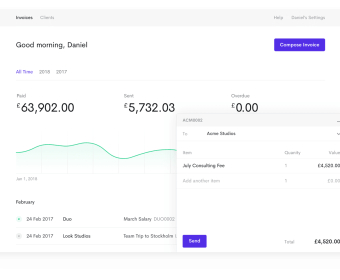
Skip the spreadsheet shuffle. Open TwoCards, select a client, and build a polished bill in minutes. Add line items with fixed or hourly rates, and let the built‑in tax engine calculate the right amounts automatically. Drop in your logo, pick a template, choose currency, and preview before sending. Dispatch by email or share a secure payment link—your client can pay by card, PayPal, or Stripe on desktop or phone. The client portal gives them self‑serve access to past invoices, order history, and account details, so they can find what they need and pay without a support thread.
If you run ongoing work—retainers, subscriptions, maintenance—set up a recurring schedule once and let it run. Decide how often to bill, attach a default payment method, and enable automated retries if a charge fails. TwoCards handles dunning outreach for declined cards and escalates reminders on your timeline, reducing manual follow‑ups. For one‑off engagements, turn on payment reminders that nudge clients before, on, and after the due date, so cash hits your account faster without you writing a single email.
Project teams can invoice by phase, milestone, or time. Track hours against a contract and roll them into a single project invoice using hourly or contingency options. Add expenses and fees as separate lines to keep scope clear and margins visible. Use project billing to see which contracts are profitable at a glance, then review the full invoice trail to understand cycle times, late payers, and average realization per client. When you need to charge in another currency, pick the correct one at creation time and TwoCards will format amounts accordingly for a frictionless client experience.
Starting a new engagement is just as simple. Send a polished quote that outlines scope and price; when your client is ready, convert that estimate to an invoice in one step and send it for payment. If a customer pays by cash or bank transfer, record it as an offline payment so your books stay accurate. The searchable invoice history and contact database make audits and follow‑ups faster—filter by unpaid, overdue, or paid to plan your week. Whether you’re a solo freelancer or a small team, you’ll move from estimate to payment with less admin, fewer emails, and clearer cash flow.
Twocards
Others
Track your performance
Duplicate invoices
Send automatic reminders
Instant status updates
Simple summary
Add a due date
Manage clients
Preview before sending
Multi-currency clients
Save draft


Comments